ZenVibe — a helpdesk for Email and WhatsApp
A compact customer-support system: emails and WhatsApp messages become tickets, enter one shared inbox and move through a clear team workflow.
Task
When requests arrive through email and WhatsApp at the same time, context quickly fragments across channels. New issues are harder to spot, ownership is unclear, customer waiting time is difficult to track and operator workload is invisible. The team needed a lightweight helpdesk without the overhead of a large enterprise suite.
Project story
One incoming stream
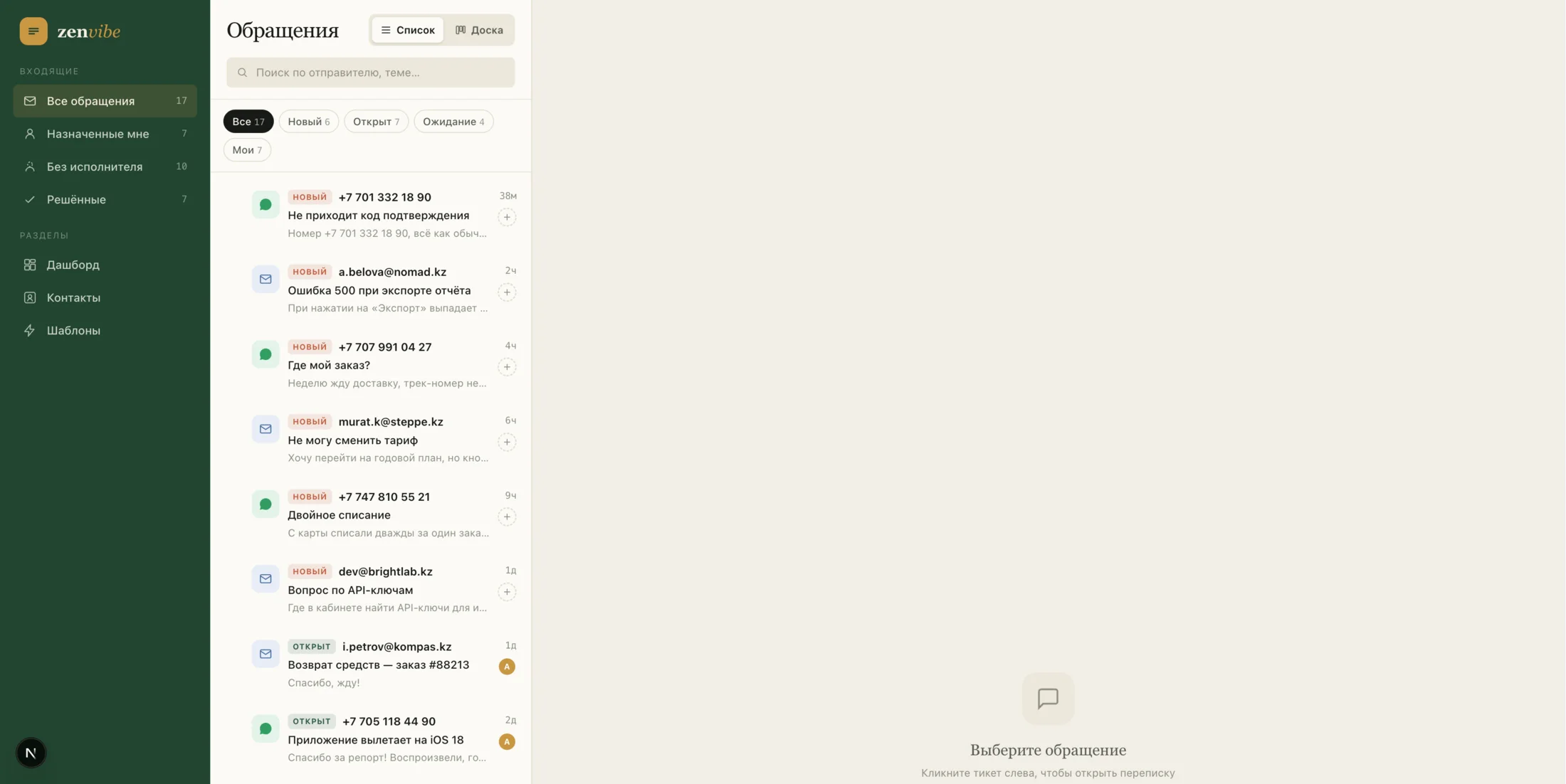
Email and WhatsApp are combined in a shared ticket queue. Search, status filters and dedicated views for assigned and unassigned tickets make each conversation easy to find.
List and working board
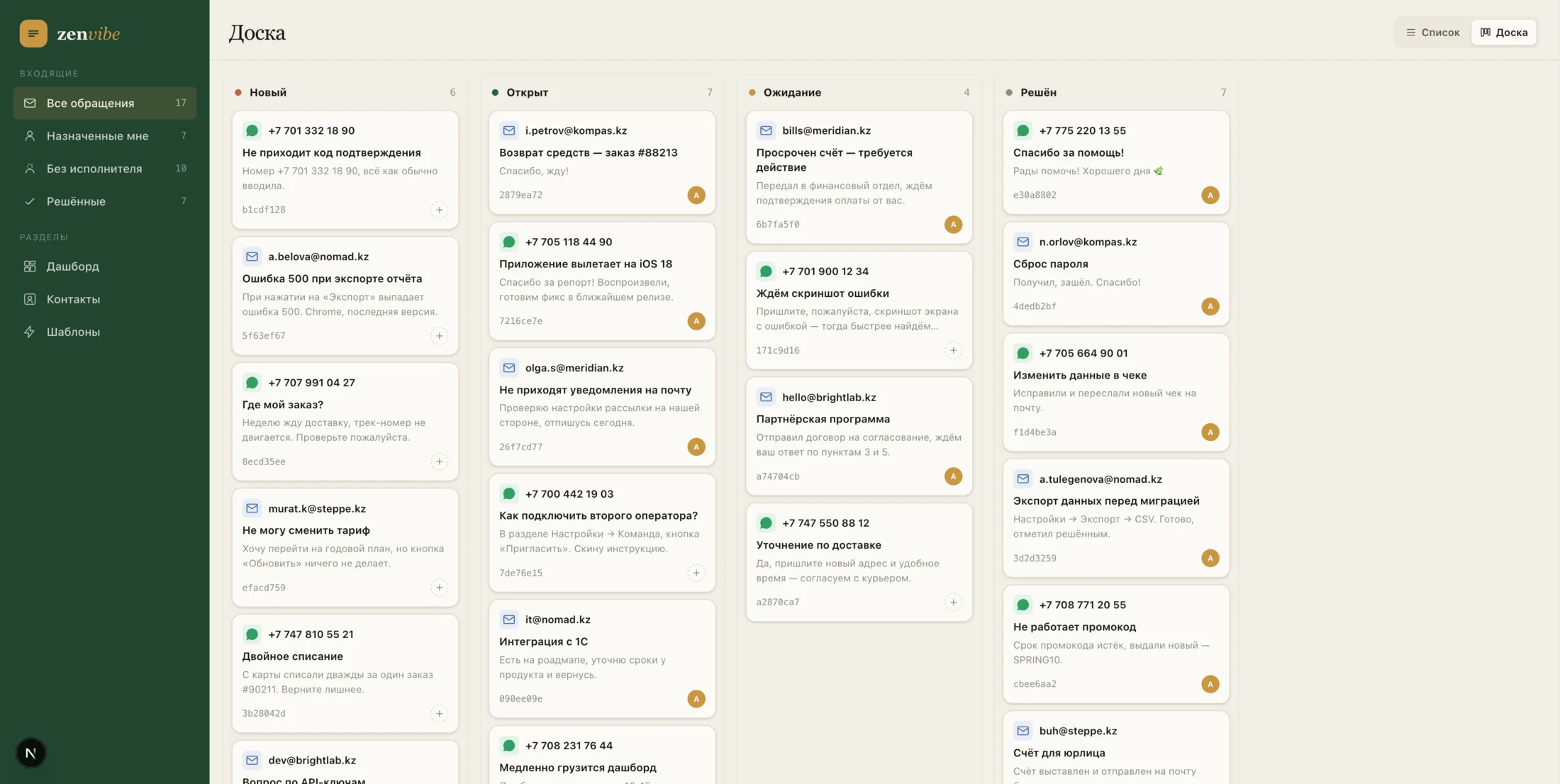
The team can switch between a compact list and a Kanban board with New, Open, Waiting and Resolved stages while keeping the whole queue visible.
Customer context close at hand
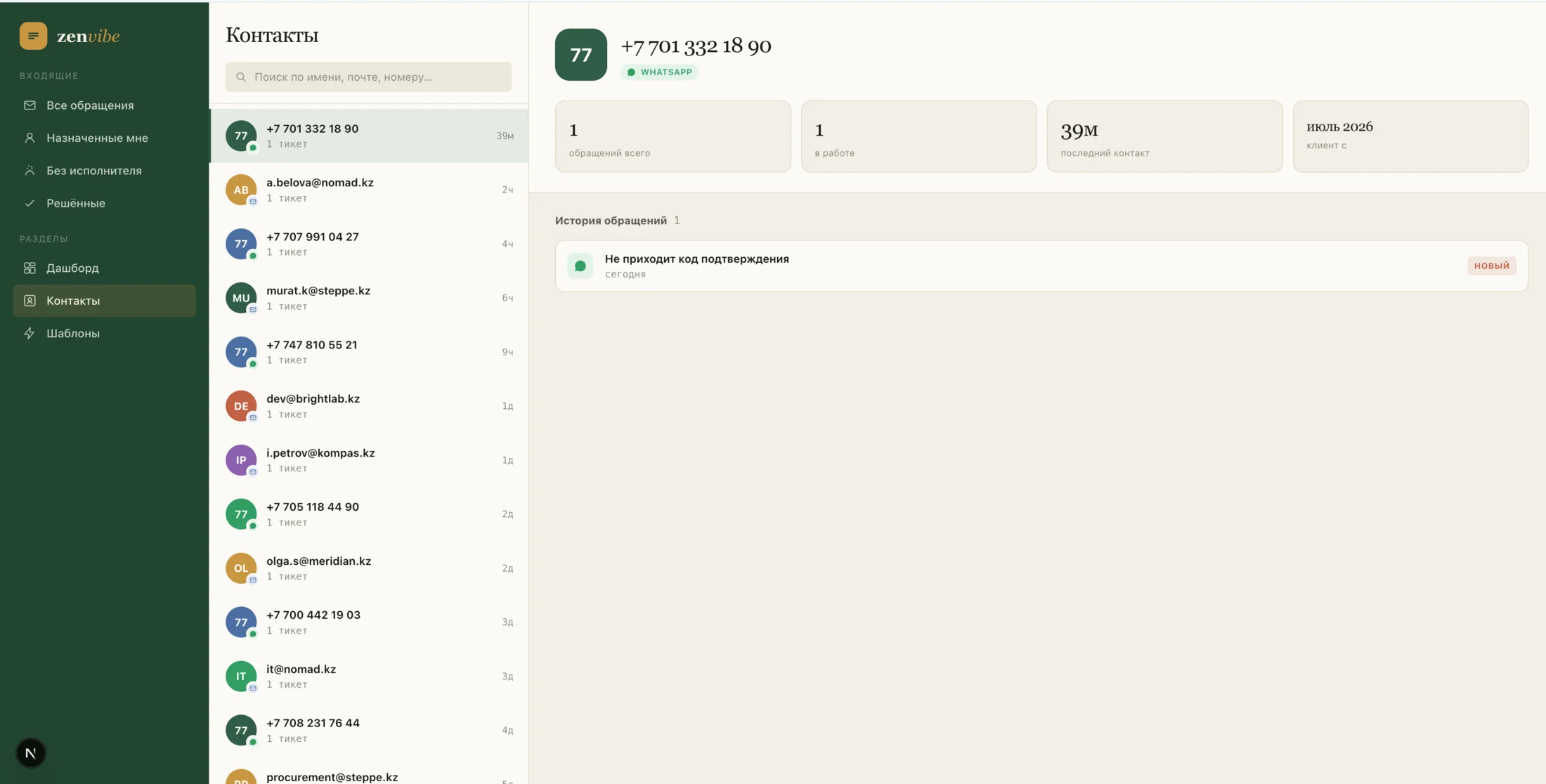
A contact card combines the channel, conversation history, current tickets and last-contact date so operators do not have to reconstruct the context manually.
The pulse of support
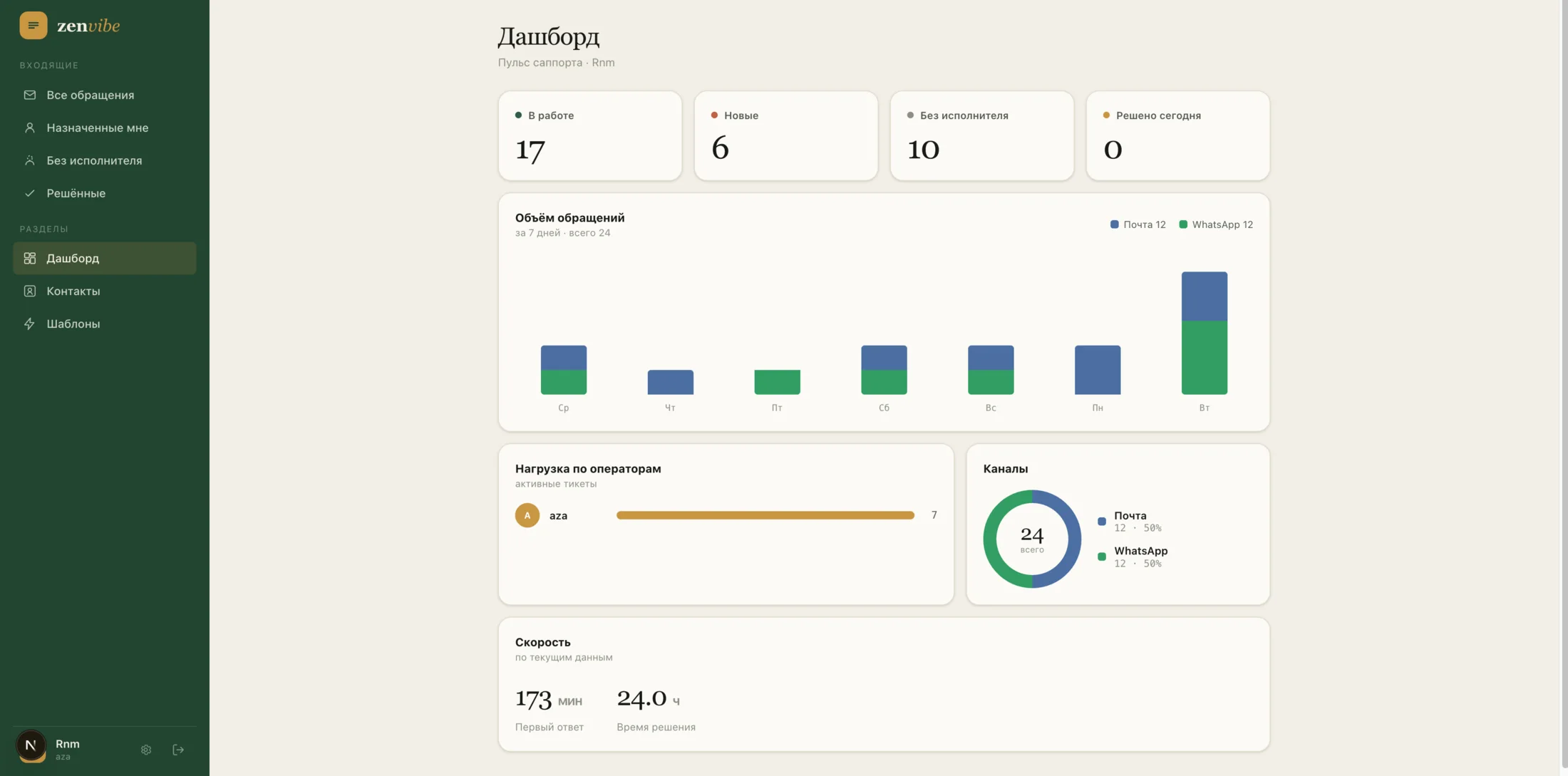
The dashboard shows ticket volume, the Email and WhatsApp split, operator workload, first-response time and resolution time.
What we built
- →One inbox for Email and WhatsApp requests
- →Search and filters by status, assignee and ticket ownership
- →Two working modes: conversation list and Kanban board
- →Ticket assignment and visibility of the unassigned queue
- →Contact cards with channel and request history
- →Templates for fast, consistent replies
- →Dashboard for ticket volume, channels, workload and support speed
The product in use
Result
The result is a calm, focused helpdesk for a small team. Requests from the two core channels no longer disappear, every ticket has a visible status and owner, and managers get a clear view of the queue and support speed.
Project website