Payroll automation for a coffee shop chain: from Excel to shift-based pay in three weeks
We automated payroll for a coffee shop chain in Kazakhstan that used to pull shifts, rates and bonuses together by hand in a 15-sheet Excel workbook. In three weeks we built a shift and time-tracking system: a schedule, geolocated arrival check-in, automatic accruals with penalties and bonuses, a payment log, mobile access for staff and the owner, iiko integration and a dashboard of key metrics. It went live on real data 11 days after the start.
Task
Payroll lived in one Excel workbook: a rate table, plan and revenue per outlet, a separate sheet for each of seven outlets plus the production kitchen, a summary sheet and a payment ledger. August alone held 977 shift rows, and employee names appeared in 89 different spellings. Arrival and departure times were typed in by hand, day and night revenue was copied from the POS every day, the summary sheet stored plain values without formulas, and deductions and amounts already paid were kept separately. There was no way to check that someone was actually at the outlet when the shift began, and only the person maintaining the workbook could answer "how much will I get". The chain needed a system where accruals follow from shifts and revenue on their own, and employees can see their pay.
Project story
We started with the workbook, not the screens
In the first days we read all 15 sheets and their formulas, rebuilt the calculation for every shift row and reconciled it with the summary. We found broken ranges and stale copies of data. Contradictory rules went to the client as questions instead of being copied into code: matching the Excel total does not make a calculation correct.
11 days to real data
Work began on 18 September, and on 29 September the owner, admins and staff got access to the live system. The same week employees started checking in from their phones, and shifts began to start themselves.
The rules kept changing, and the system kept up
After launch the owner refined the rules on live data: positions shared across outlets, night shifts, one-off penalties, requests to head office. Each change was verified on a test environment and shipped the same day; on 30 September alone, more than twenty releases went out.
iiko integration and a dashboard along the way
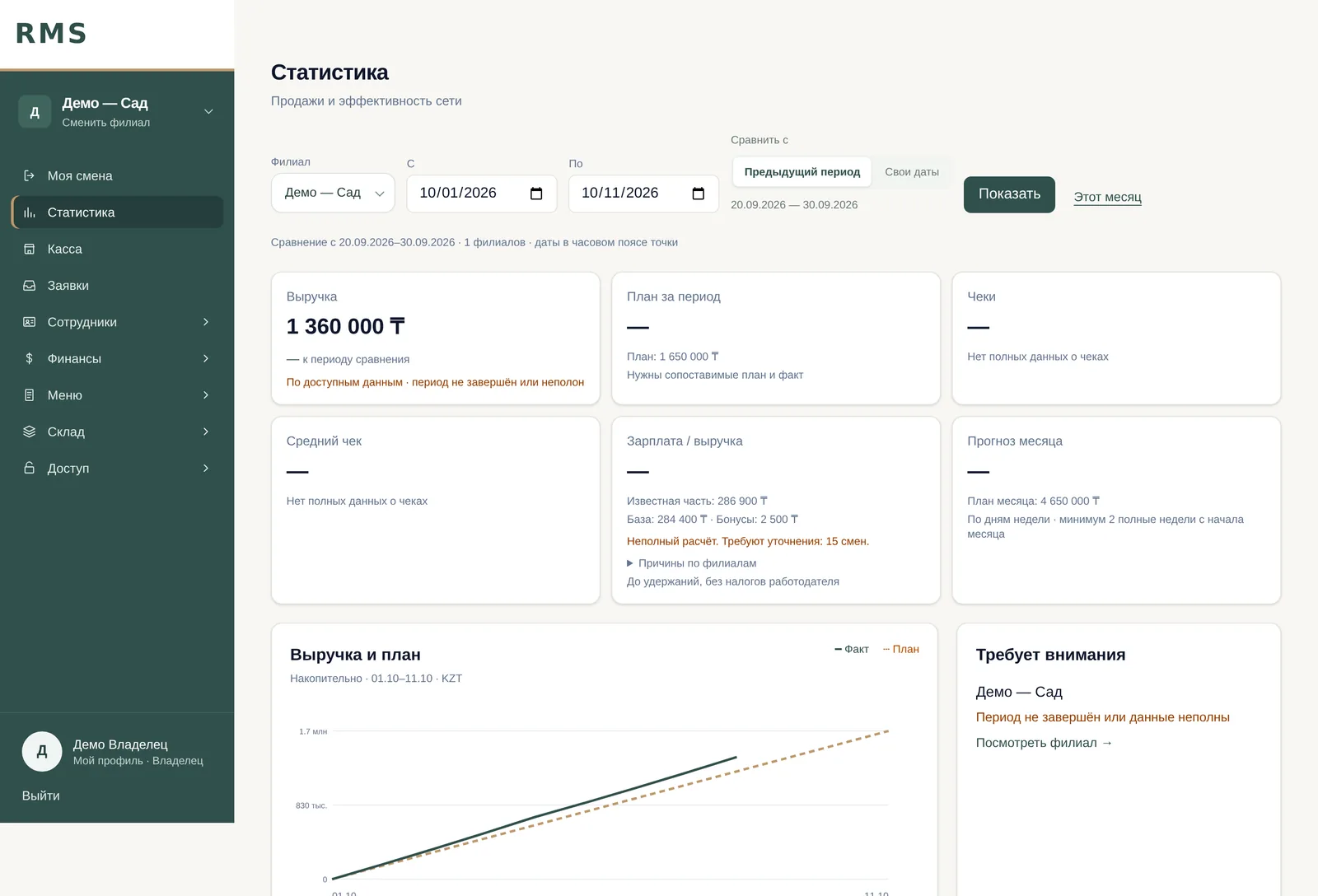
Once accruals worked, the owner wanted to see them next to revenue. We connected the iiko POS: daily data since 1 September was loaded, with hourly updates. On 6 October the dashboard with revenue, plan and payroll share went live.
What we built
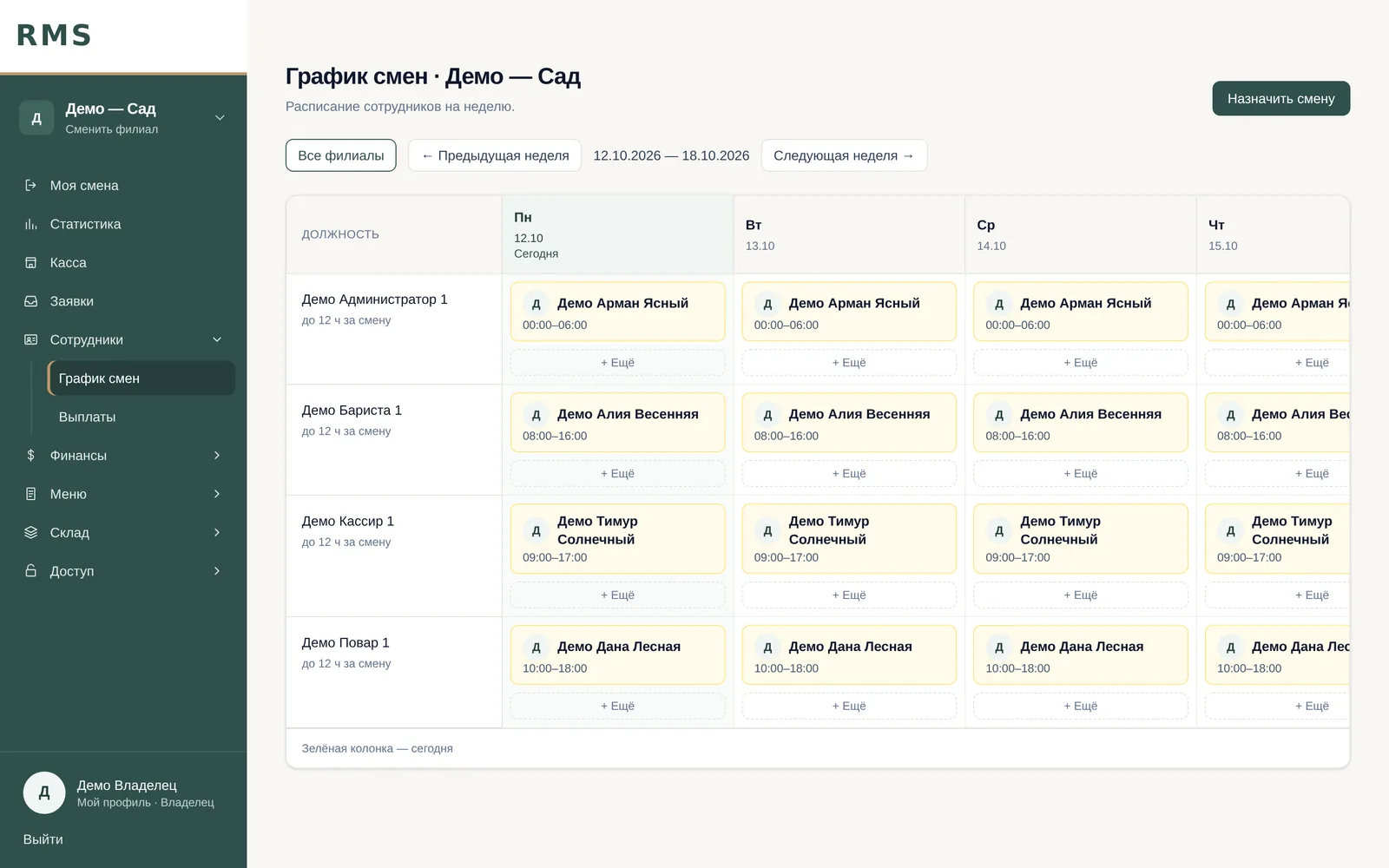
- →The shift is the unit of calculation and the timesheet line: it has a set start and end, and a night shift ends the next day. Pay follows planned hours, so nobody has to check out
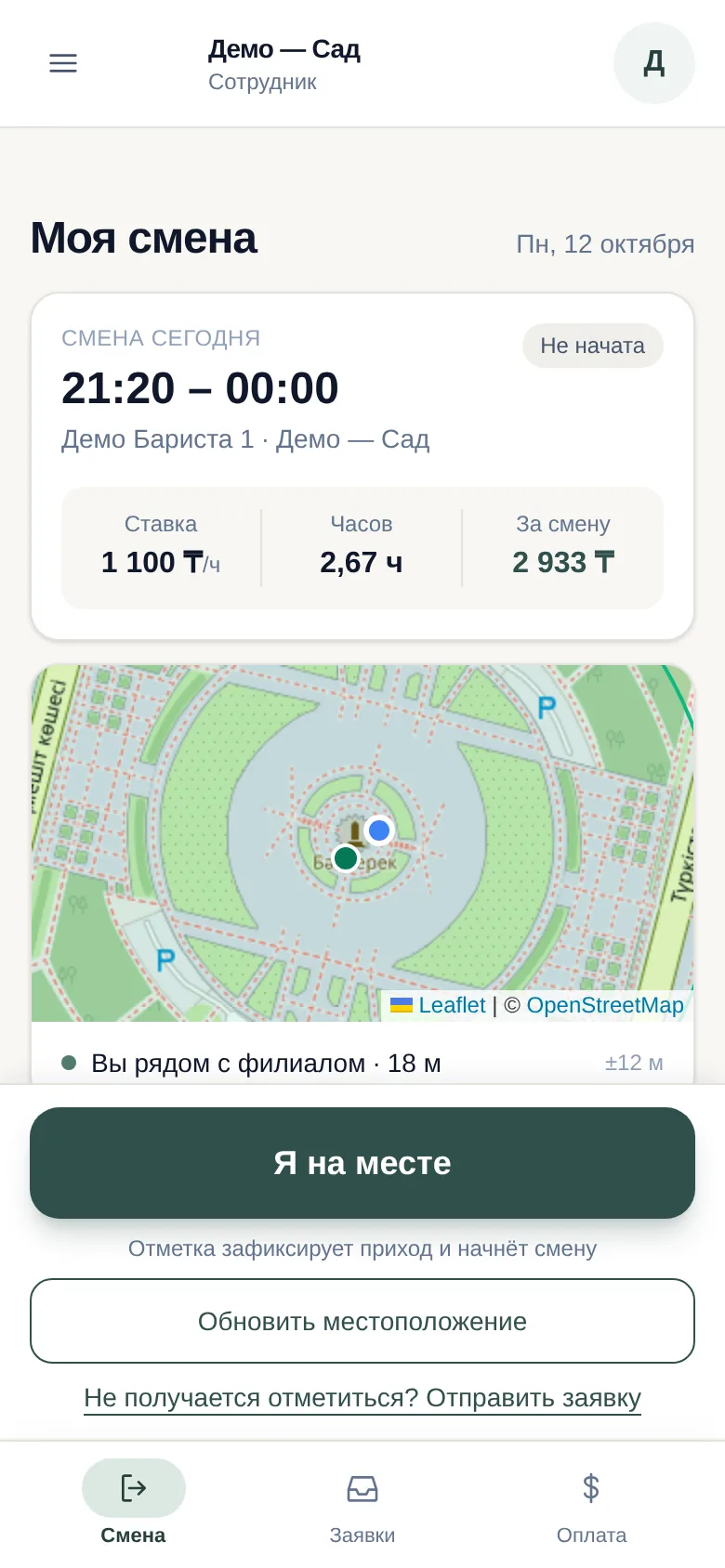
- →Only the employee records their own arrival — with an "I'm here" button within 150 metres of the outlet. The check-in starts the shift and lateness is calculated automatically
- →Lateness does not cut base pay: the penalty is a separate line from a stepped scale with a grace period, so the employee sees exactly what was withheld and why
- →Bonuses are a fixed amount for hitting the till plan or a percentage of shift revenue; revenue arrives from iiko with no manual copying
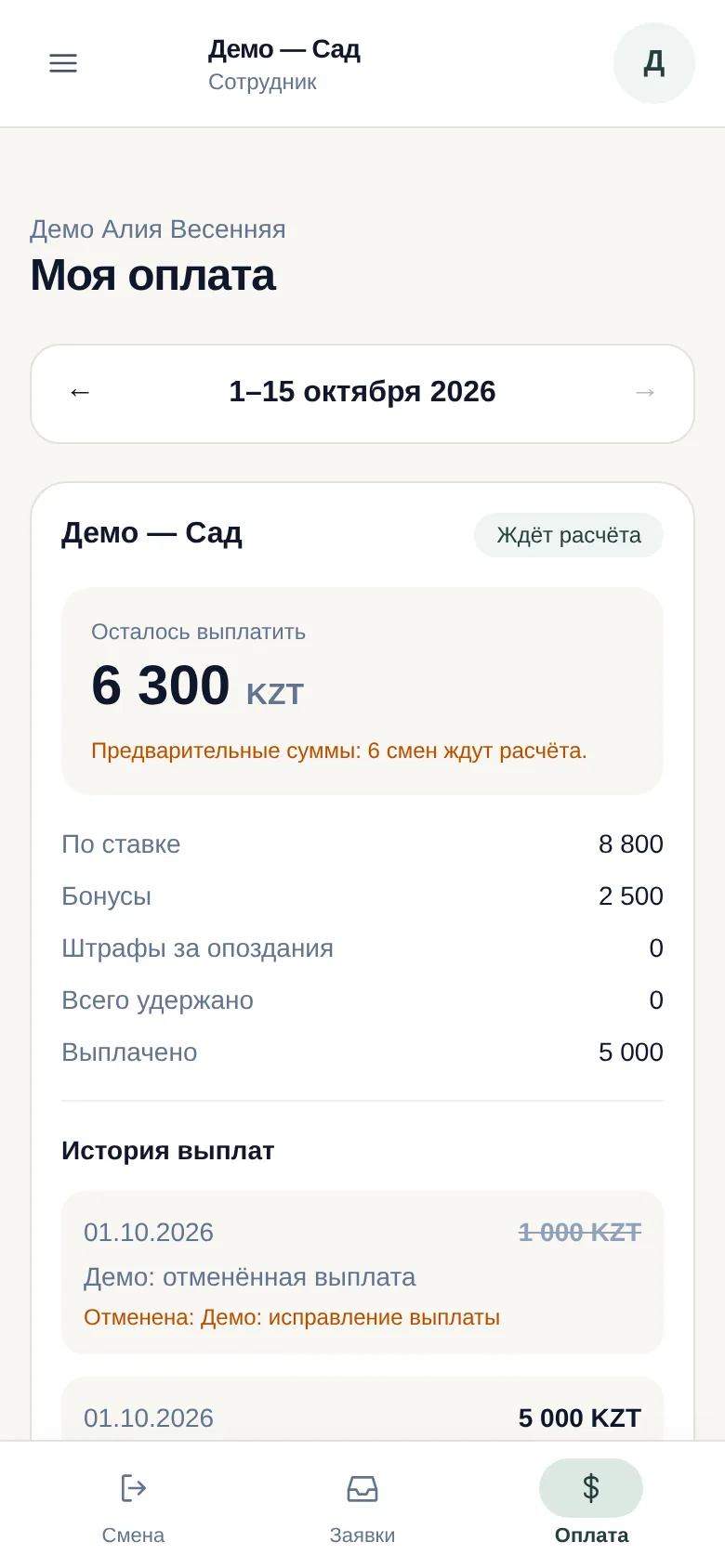
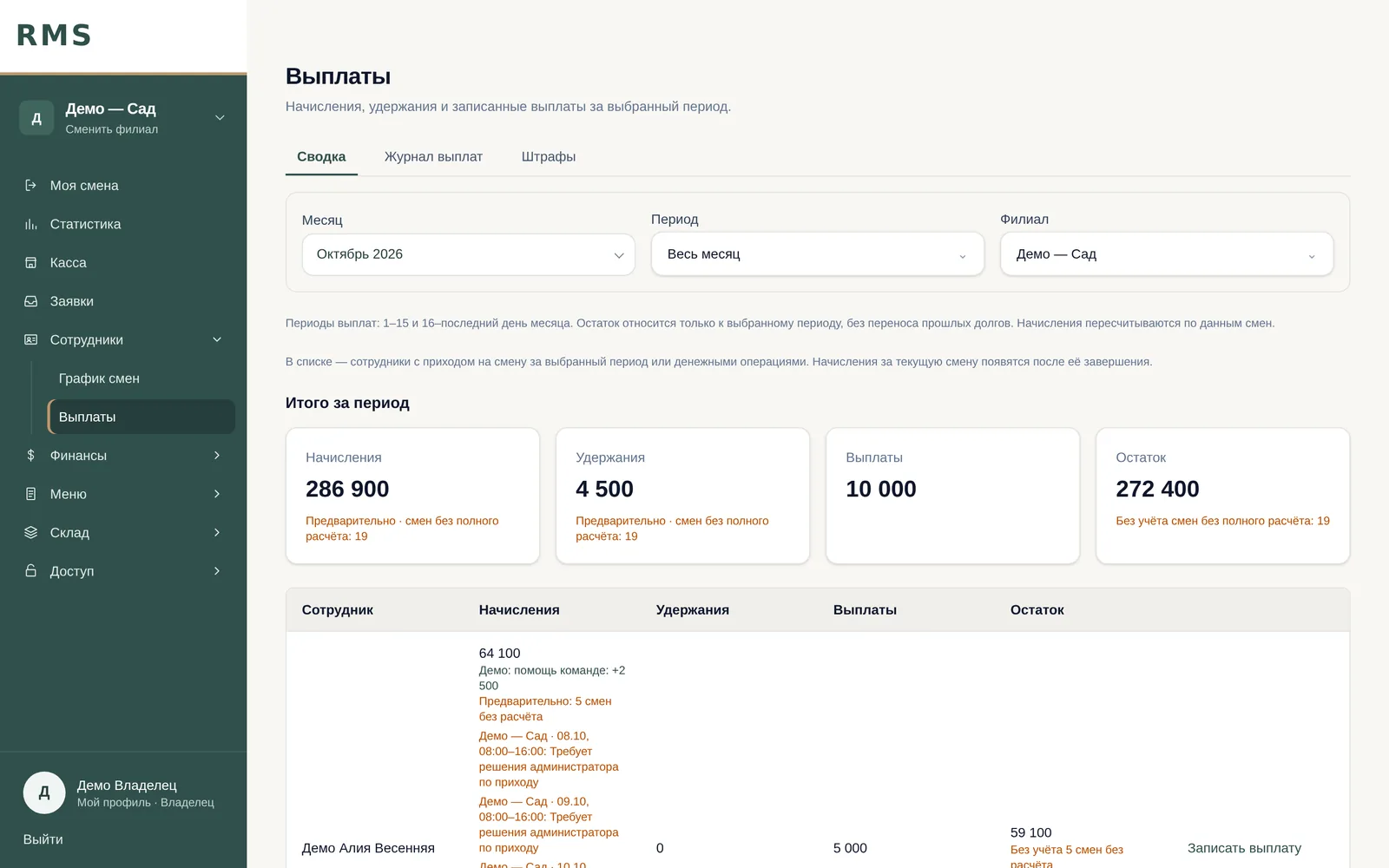
- →Payments by half-month: accrued, withheld, paid, balance. An entry can only be voided with a reason, and the log keeps the full history
- →Corrections go through requests to head office: an employee or admin asks, the owner decides. Nobody quietly changes an arrival after the fact
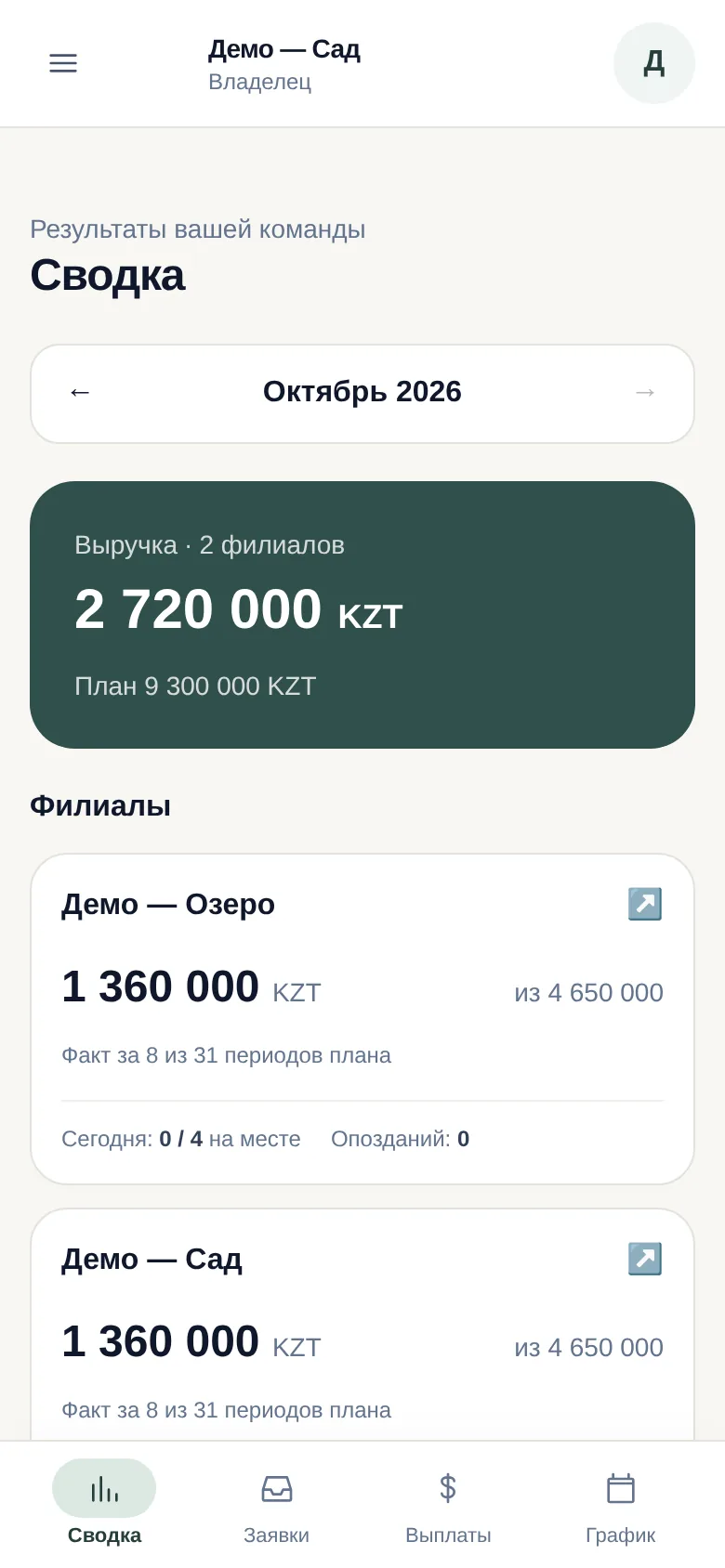
- →Roles with different rights: the owner sees the whole chain, an admin runs the schedule for their outlets, an employee sees their own shifts and pay
- →Owner dashboard: revenue against plan, receipts and average receipt, payroll as a share of revenue, a month forecast and an outlet comparison
The product in use
Result
Payroll is no longer assembled by hand: accruals follow from shifts, plans and revenue, and the Excel workbook is no longer where pay is calculated. From 29 September to 12 October the system ran 353 shifts across eight outlets, and employees checked in by geolocation themselves for three arrivals out of four. In the first weeks admins entered the rest; since 11 October there is no manual entry — an arrival comes only from the employee or from a request the owner approved. 65 employees have their own login to see shifts and pay, and since 1 October the owner records payments in the log instead of a separate ledger. The whole path from the brief to the full setup — web, mobile access and the dashboard — took three weeks.
Stack
Related services
Web development
Web apps, portals and customer dashboards for your business needs — with support and growth.
Mobile apps
iOS and Android turnkey — from MVP to a product we run and grow on subscription.
Integrations: 1C, CRM and payments
We connect 1C with your website, app and CRM and customize configurations to your processes. Plus payment and external system integrations for Kazakhstan.